Make each turn matter.
Qualifying shots give everyone a mark to beat. Watch the standings as the contest unfolds.
Two good reasons to play
Start with what sounds like you.Give everyone something to chase. Bring the score, the rivalry and the result screens into the room.
I’m hosting friends ↗02 / GOLF IS ALREADY THE PLANA separate live scorecard alongside GSPro. Follow each hole and see the round taking shape.
Show me the scorecard ↗Same companion. Choose either starting point—or bring both to your next session.
01 / For nights with friends
Set a target. Pass the turn. Chase the leader. Closest to Pin and Longest Drive give the crew a quick competition to rally around.
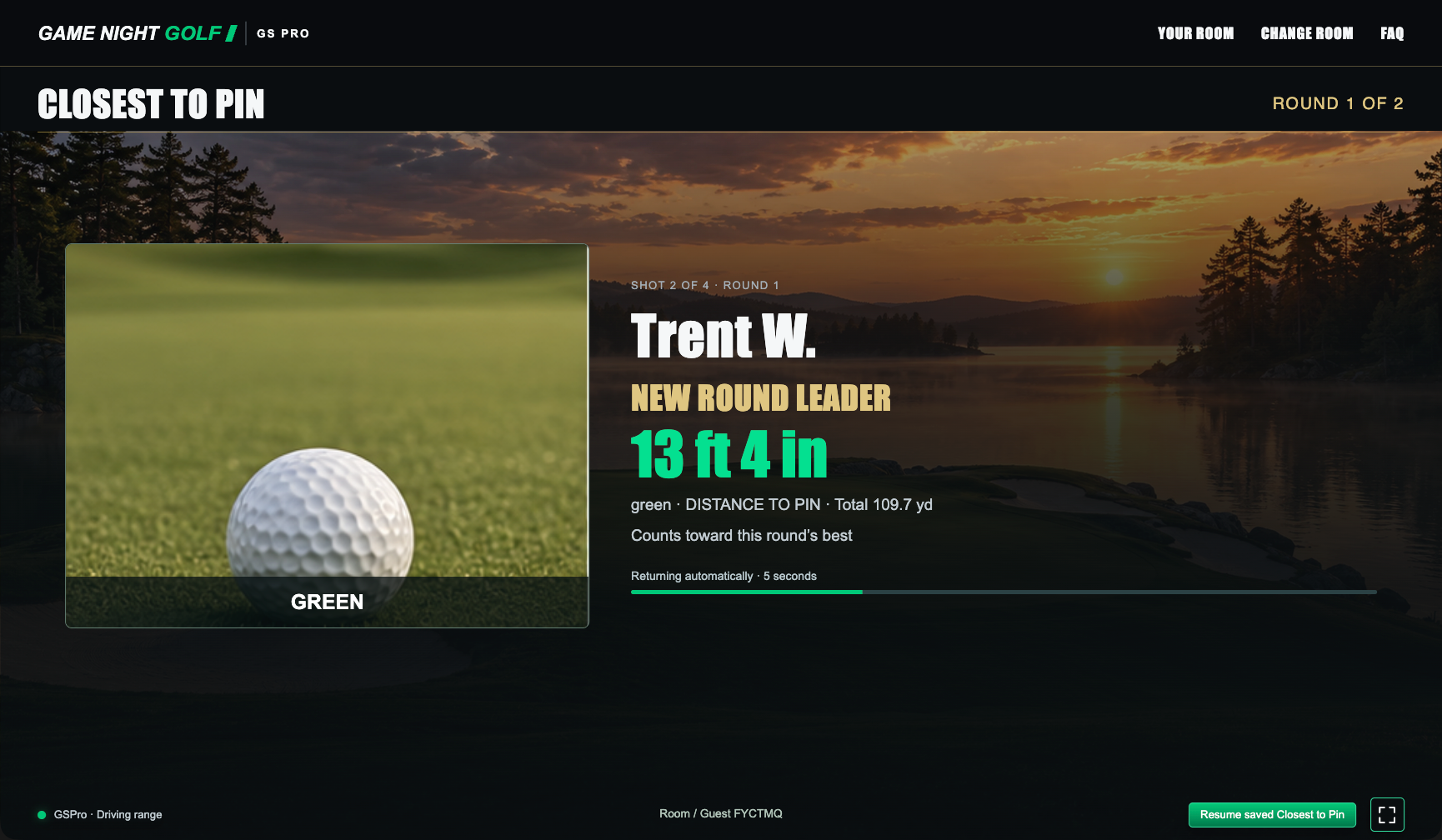
Qualifying shots give everyone a mark to beat. Watch the standings as the contest unfolds.
Use a second computer to follow scores and results, so the next player isn’t the only one paying attention.
The close approach, the drive to beat, the unexpected double bogey. Every round has its talking points.
02 / For any round of golf
You don’t need a party to enjoy the companion. Keep a separate scorecard in view and follow hole-by-hole scores. Add Skins when you want another reason to chase the next hole.
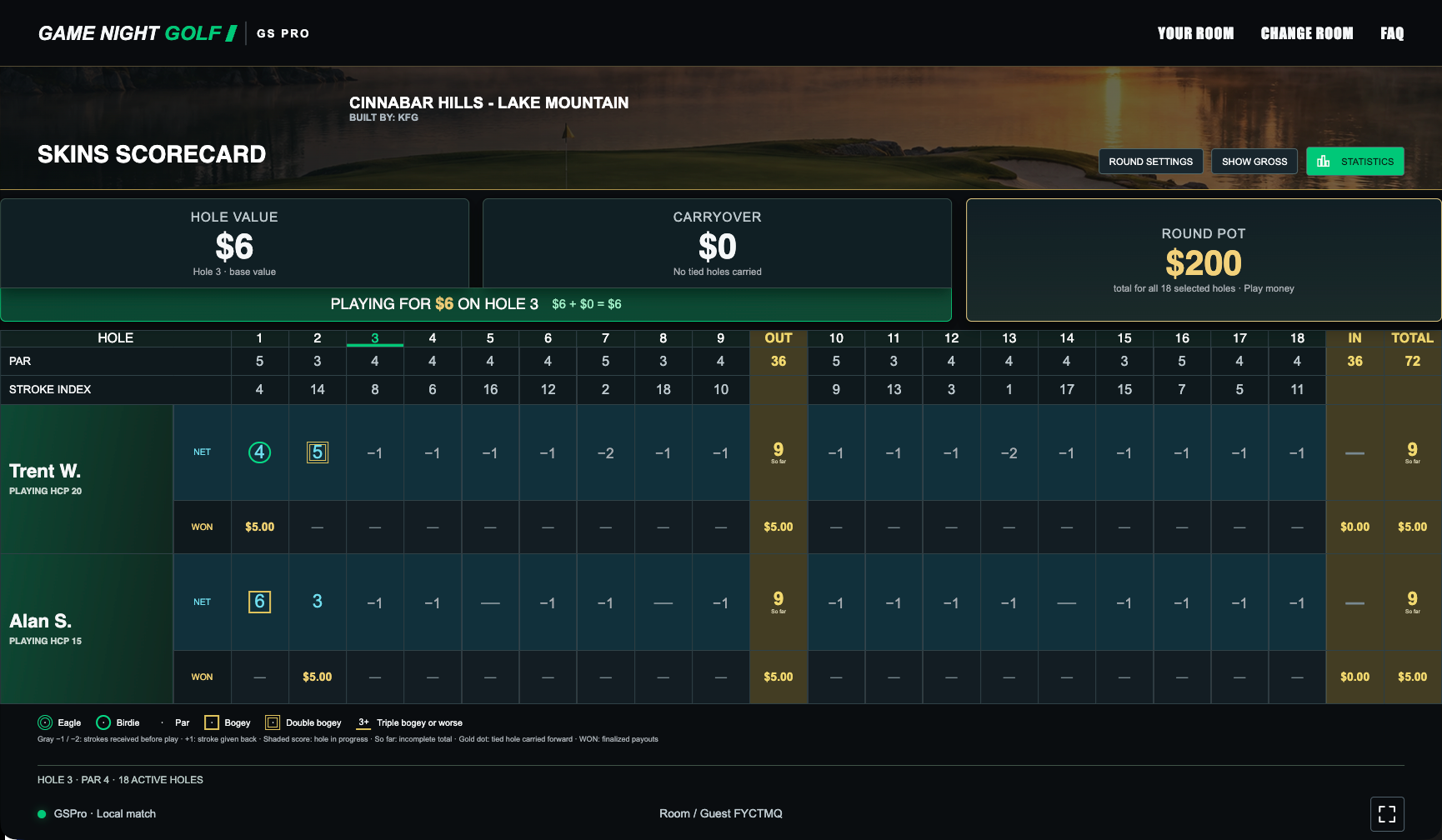
Every hole in context. Follow net scores, skins won and totals together.
Know what’s up next. Hole Value + Carryover = Playing For. The Round Pot is separate.
Keep it friendly. All dollar values are play-money scoring. No money transfers.
Both paths lead to more ways to play
A full round or a few shots with the crew. Start with the game that fits your evening.
Follow your round and add play-money Skins. Watch the hole values, carryover and awards.
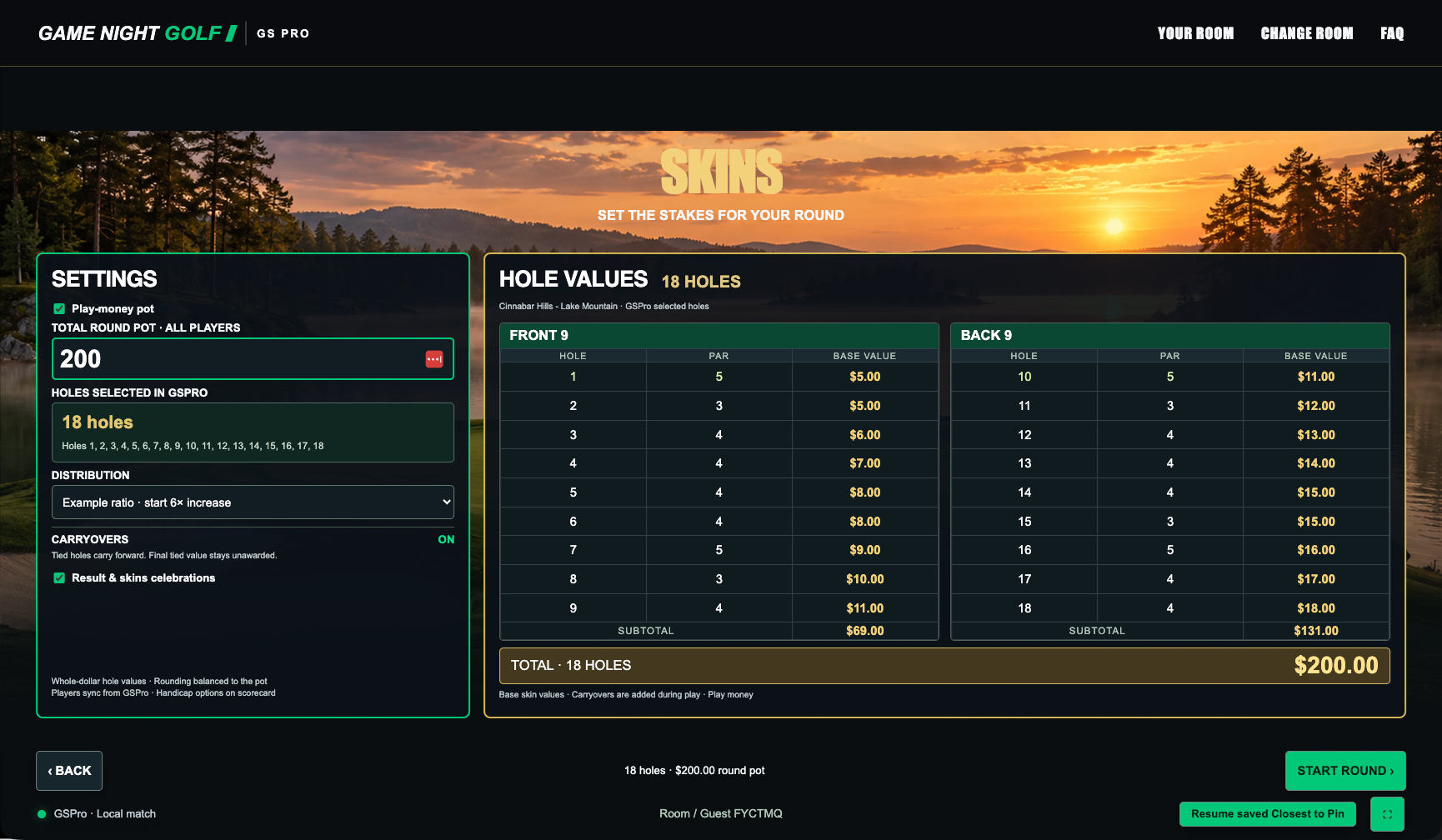 THE FULL-ROUND RIVALRY
Pick a fixed target in GSPro. Qualifying on-green finishes compete for the closest shot.
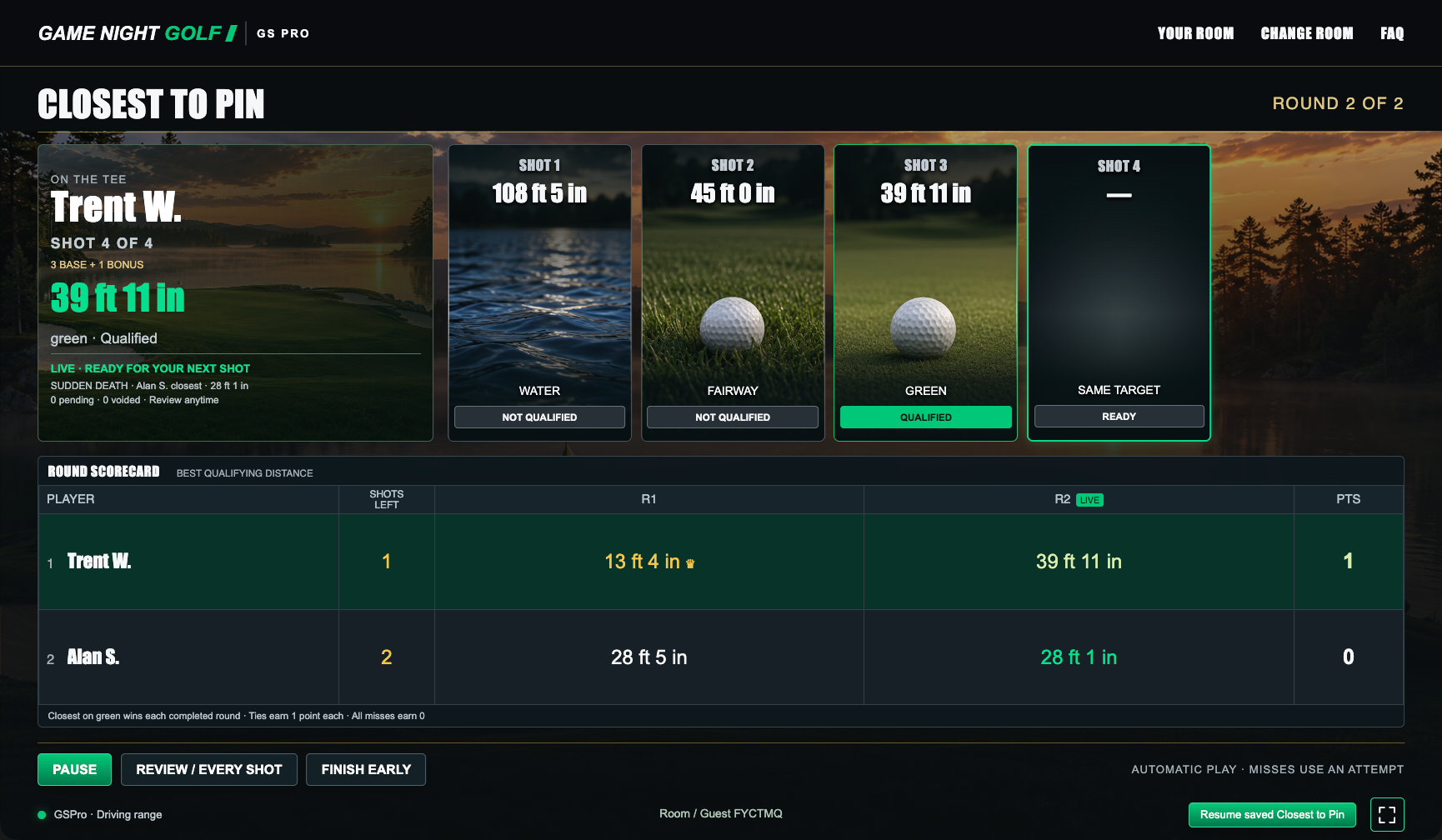 THE PRECISION CHALLENGE
Let it fly—and keep it on the fairway. Qualifying finishes rank by total distance.
 THE DRIVE TO BEAT
Open a walkthrough to follow the original demo screens from setup to the result.
01 / Round Play with Skins
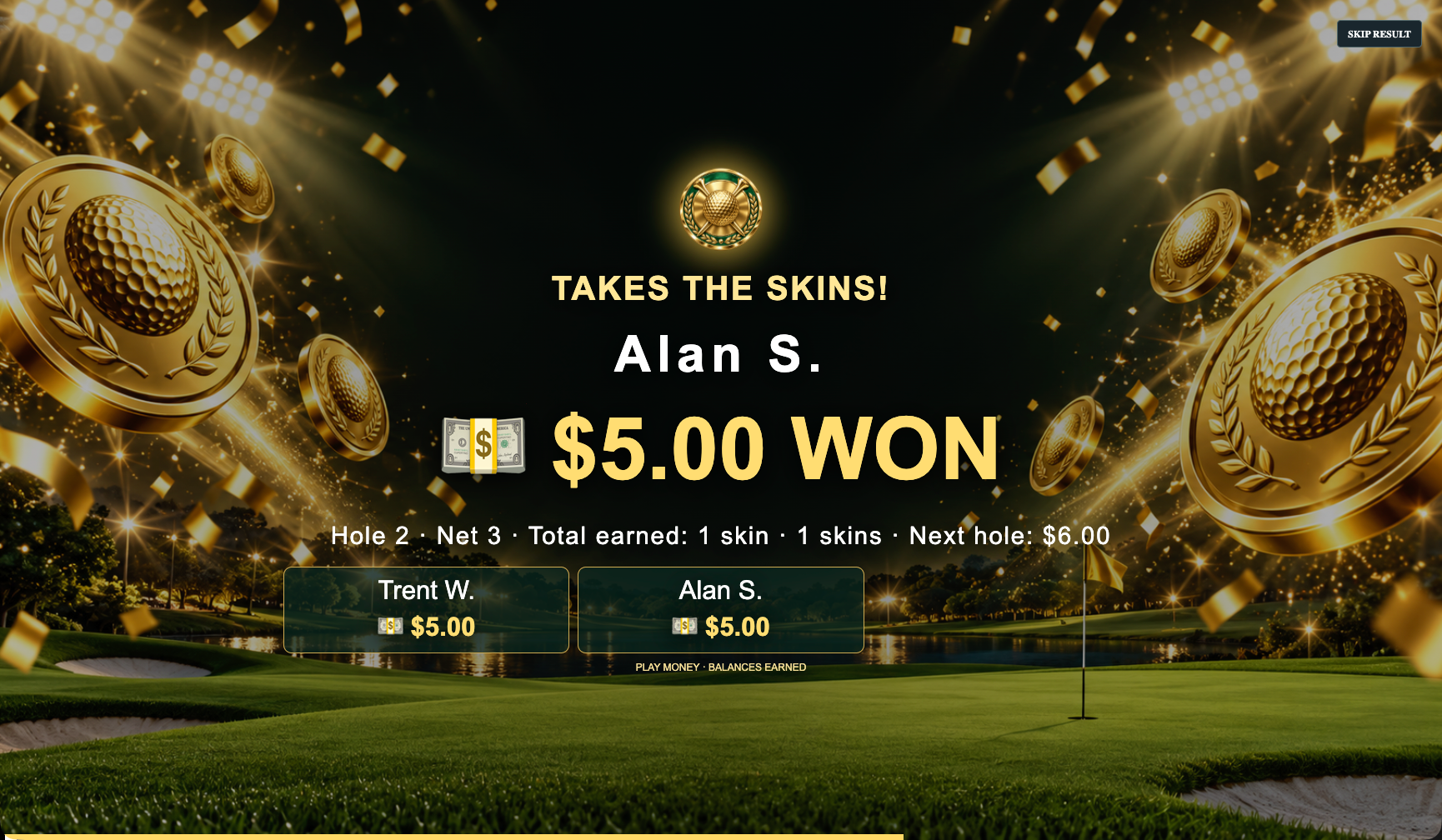
Set the play-money pot, follow the round and watch tied holes carry value forward. A unique lowest net score takes the skin and available carryover.
Enlarge screen ↗Enlarge screen ↗ Enlarge screen ↗
 Enlarge screen ↗
This is an early-round Skins walkthrough; the card shows zero carryover. A tied final hole leaves its carry unawarded. Round Play also supports Stroke Play, Best Ball and Shamble; separate Normal/team captures are not shown here.
02 / Closest to Pin
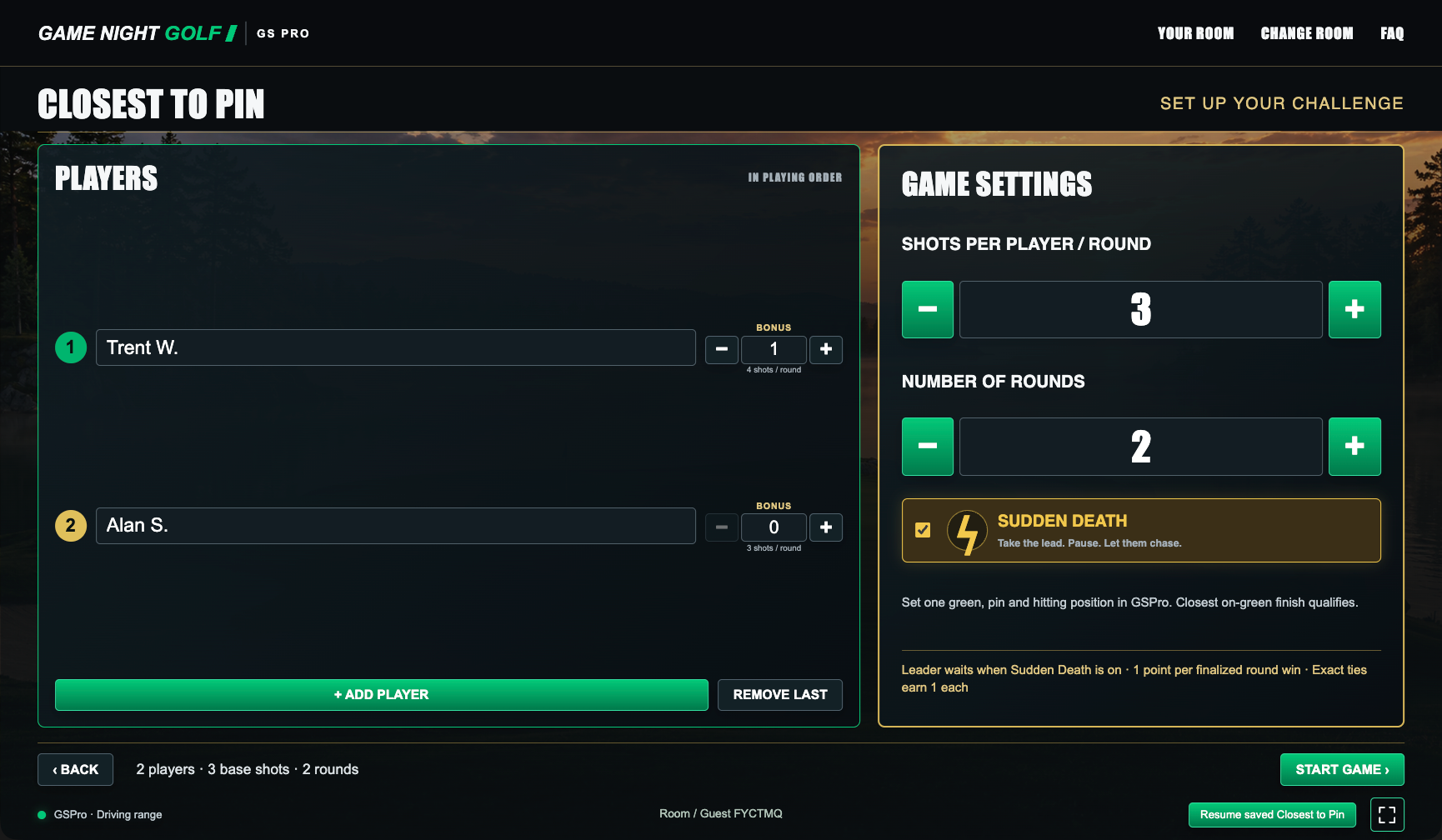
Take turns at the same GSPro practice target. Your closest qualifying on-green finish is the mark to beat. Misses still use an attempt.
 Enlarge screen ↗Enlarge screen ↗Enlarge screen ↗
 Enlarge screen ↗
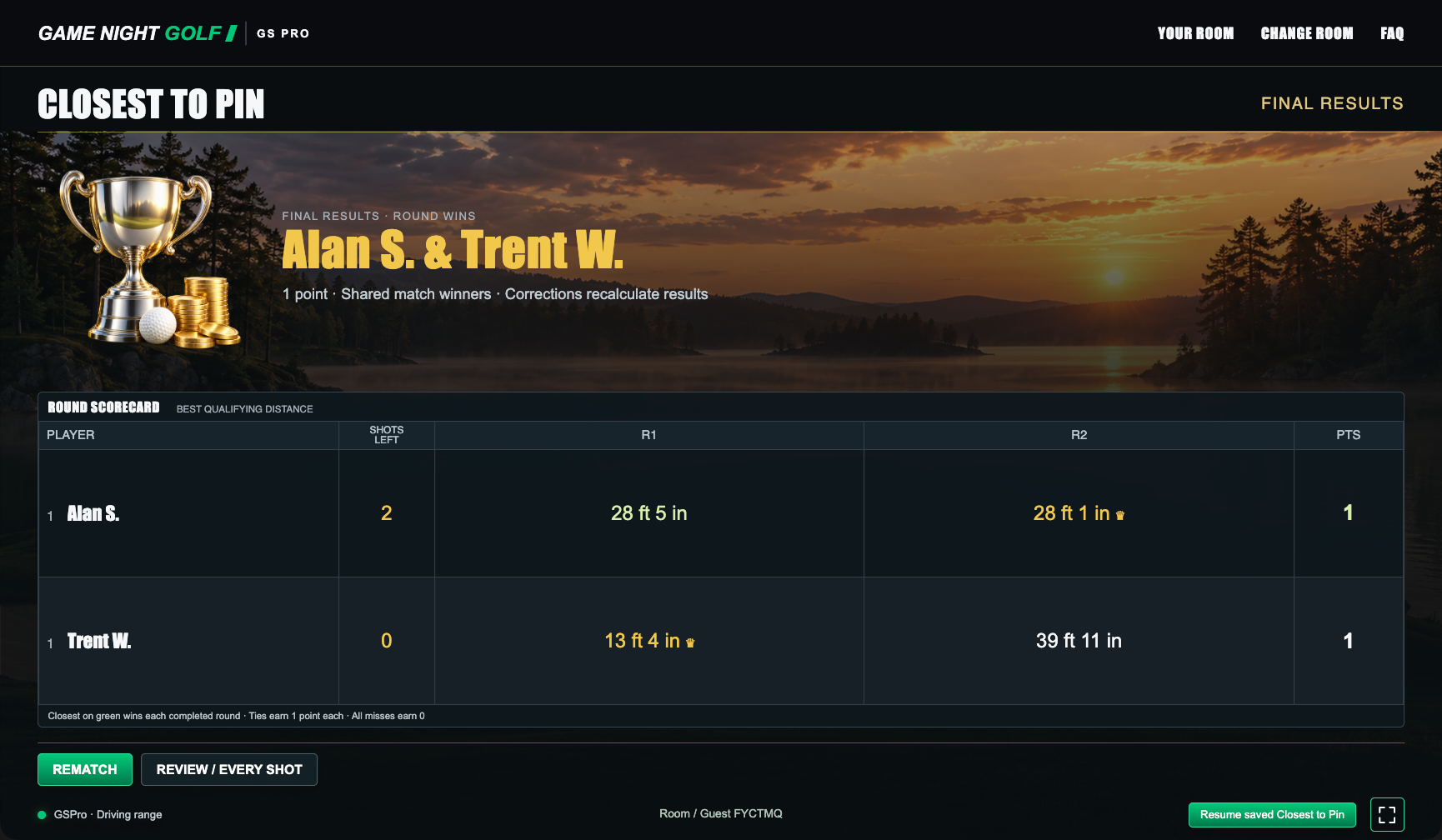
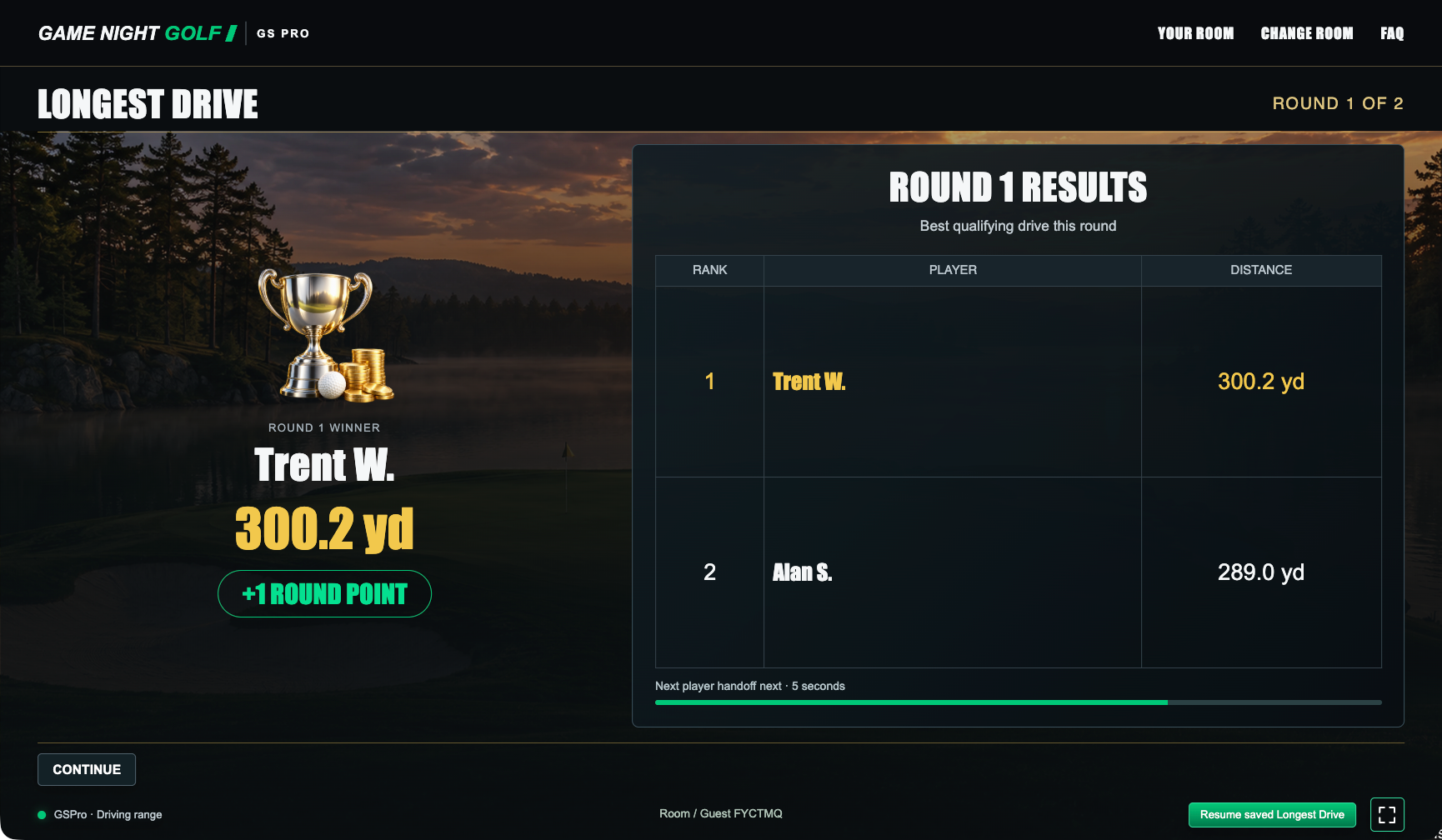
One point per finalized round win; exact qualifying ties share the round point. Highest point total wins the match, including shared winners. Keep the same target and hitting position throughout.
03 / Longest Drive
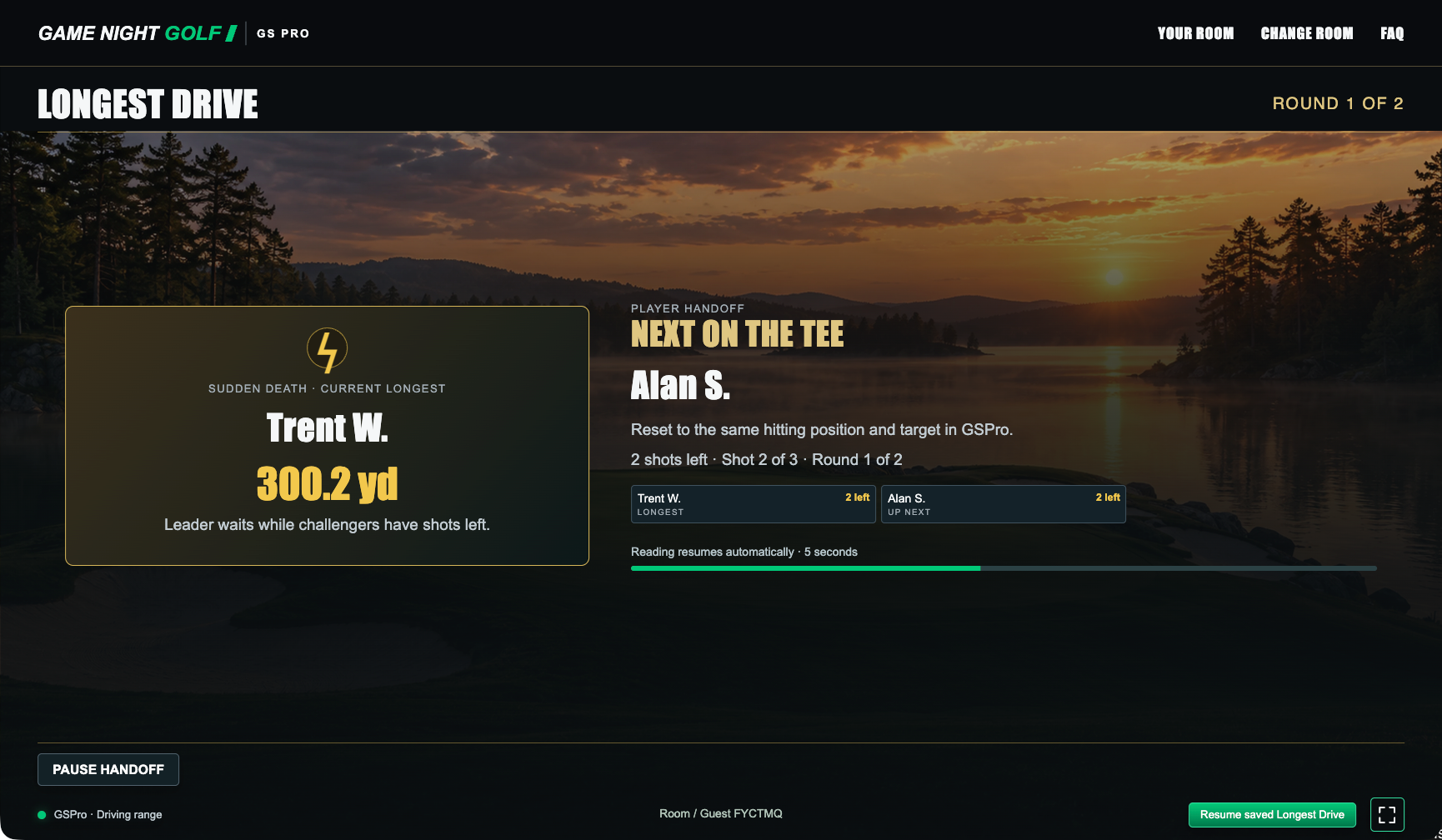
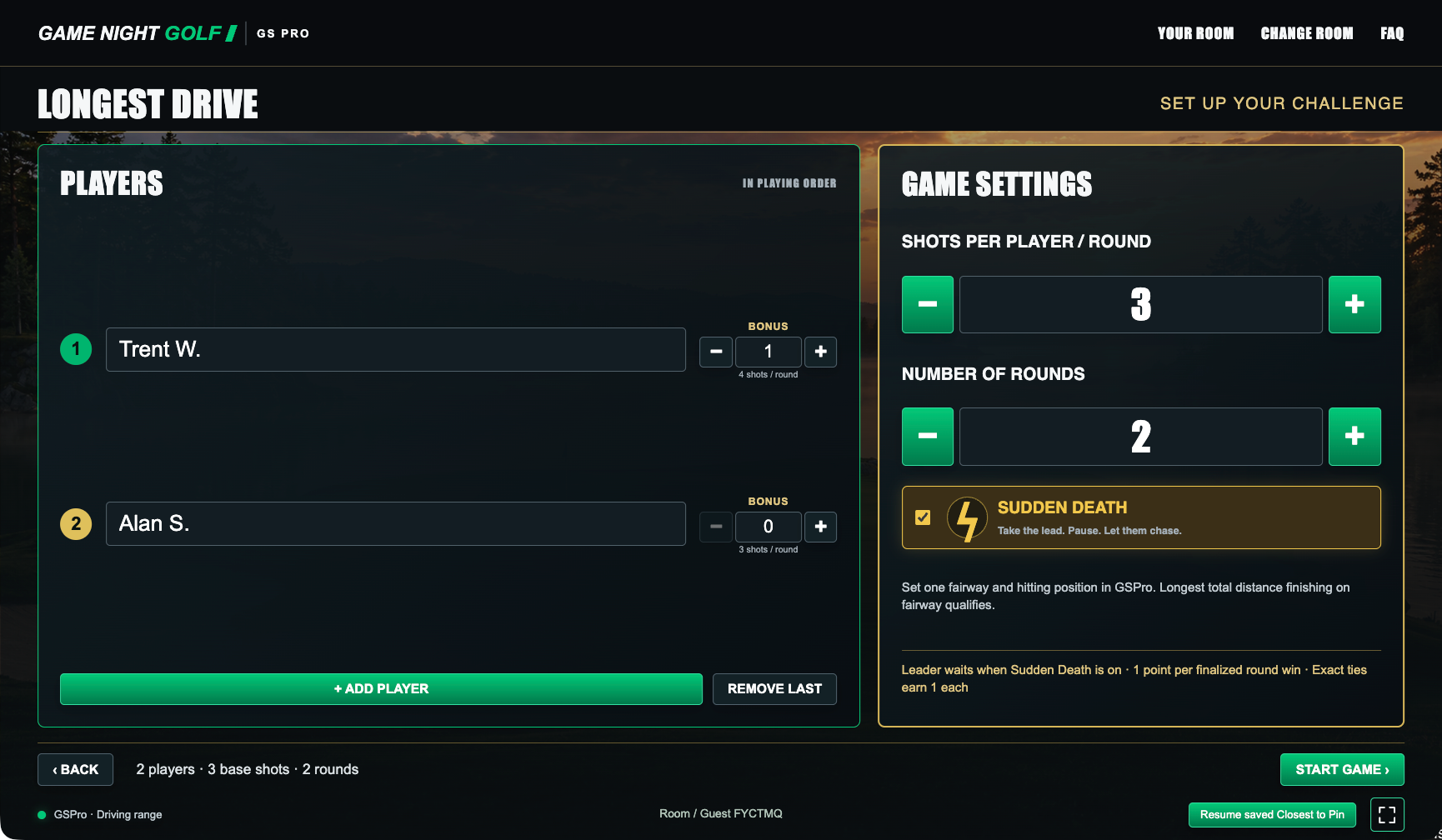
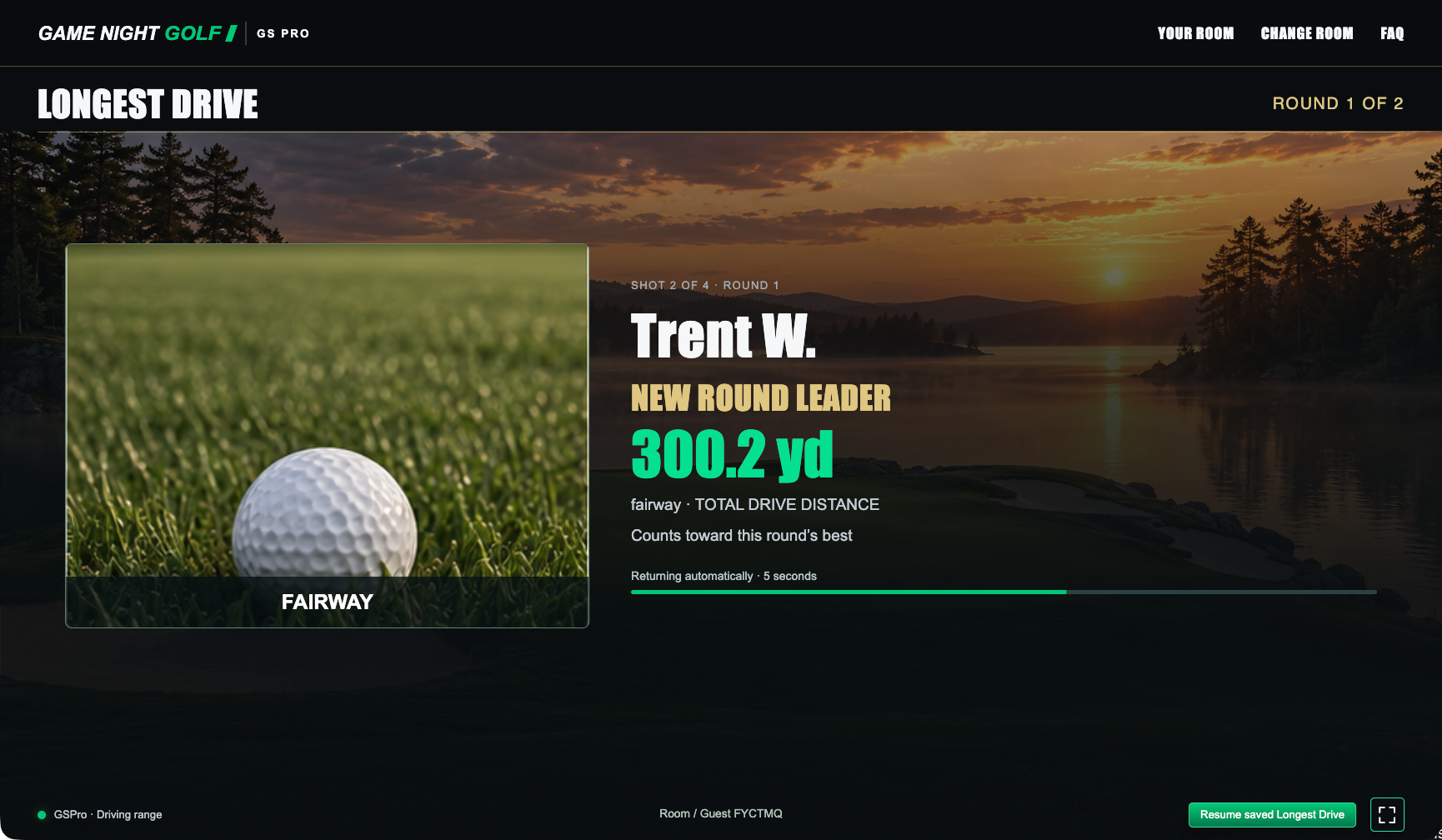
Total distance counts when the ball finishes on the fairway. A longer miss into the rough does not beat a qualifying drive. Track attempts and standings, then let the next player chase the mark.
 Enlarge screen ↗
 Enlarge screen ↗Enlarge screen ↗
 Enlarge screen ↗
First-round examples. Bonus swings give selected players extra opportunities; they are not an official handicap. Optional Sudden Death lets challengers use their remaining attempts while the leader waits.
Party contests support shots, rounds, per-player Bonus swings and optional Sudden Death. Keep the same GSPro target and hitting position throughout a contest.
Like the bowling scoreboard after a turn. Some scores call for celebration. Others become the story of the night.

The connection behind the evening
GSPro runs the golf. The Game Night Golf bridge reads saved scores and settled shots, and the website brings the competition together.
Run GSPro 4.1.13 or later and the bridge on the same Windows computer.
Use administrator access to choose the game and competition settings.
Share the separate guest code or link for a read-only view.
A guest laptop needs internet and a browser. It can follow scores, standings and results without GSPro or the simulator’s Wi-Fi. Keep the simulator PC, bridge and internet running.
Guest viewing shows scores and game state; it does not stream ball flight or provide cross-bay multiplayer.Host Sets up and controls the competition. Keep administrator access private; one active controller.
Guest Follows the action with the separate guest code. No gameplay command permissions.
Free beta / Help shape what’s next
Test a golf night. Follow a regular round. Tell us what’s fun, what’s confusing and what would make the next session better.
Game Night Golf is free for the community and built to grow as a community project. Have an idea, feedback or development skills to share? We’d love your help shaping the tool.
Get Windows Beta →Looking for beta testers
Tell us how you would use Game Night Golf. We’re looking for feedback on setup, usability and playability, plus ideas for new games and features.
Free beta. Licensed GSPro required separately. Submit the form below to automatically receive your installer link, activation serial and setup instructions by email.
Your request and testing preferences are shared privately with the Game Night Golf owner for beta-test follow-up. Human verification is provided by hCaptcha.
Before your first night
Licensed GSPro, Windows 10/11, the bridge on the same PC, an approved serial number and activated Bridge, internet and a supported desktop browser such as Chrome or Edge.
The Windows beta installer includes Python and bridge dependencies. Read the setup guide.
An internet-connected laptop or computer, a browser and the host’s guest code. Landscape displays are the gameplay reference.
No. A separate live scorecard is a useful starting point for a regular round. The games are there when you want to add competition.
Yes, through the hosted website with the separate guest code. The simulator PC, GSPro and bridge must remain online.
The beta is free, with GSPro required separately. Request Windows beta access and tell us whether you can test and provide feedback. New requests automatically receive the installer link, activation serial and setup instructions by email. The source repository remains private.
No. Skins pots, values and balances are play-money scoring. Game Night Golf does not transfer money.
Updates depend on saved simulator data, the bridge and internet. A reconnecting or stale display does not confirm that the latest shot arrived. Check the host connection and keep the setup running.
Landscape laptop and desktop screens are the current gameplay reference; universal mobile support is not claimed. This beta is for GSPro. Other simulator integrations are a possible future direction.
These are captured demo screenshots from October 15, with original player names, scores and play-money labels. To follow a live game, join an active room using the guest code shared by its host.